AppleJR – Direct Install iOS Apps on iPhone & iPad
Apple JR makes installing iOS apps on your iPhone or iPad easy. You can install popular apps like ESign, Scarlet, KSign, and Feather directly from Safari, without a computer or manually signing IPA files. We also provide IPA downloads and signing certificates for those who prefer installing apps themselves.


Direct Install iOS Apps
Want to install ESign, Scarlet, KSign, or Feather? Simply select the app from the tabs below and tap any of the available Install buttons.
There's no need to download an IPA file or set up a signing certificate yourself. We've provided multiple installation options, so if one doesn't work, you can try another.
IPA signing


Minecraft Java launcher

App sideloading

App sideloading
Download iOS Signing Certificates
If you prefer signing IPA files yourself, you can download the certificates below and use them with apps like ESign, KSign, and Feather.
Each certificate package contains the files needed for manual signing. Download the ZIP file, extract it, and import the certificate into your signing app.
RAKUTEN SECURITIES,INC.
Certificate package · ZIP
HSBC Bank
Certificate package · ZIP
Central Power
Certificate package · ZIP
Jiangsu Simcere
Certificate package · ZIP
View All Certificates
How to Install iOS Apps Using AppleJR
You don't need a computer, an IPA file, or your own signing certificate. Here's how to install ESign as an example.
-
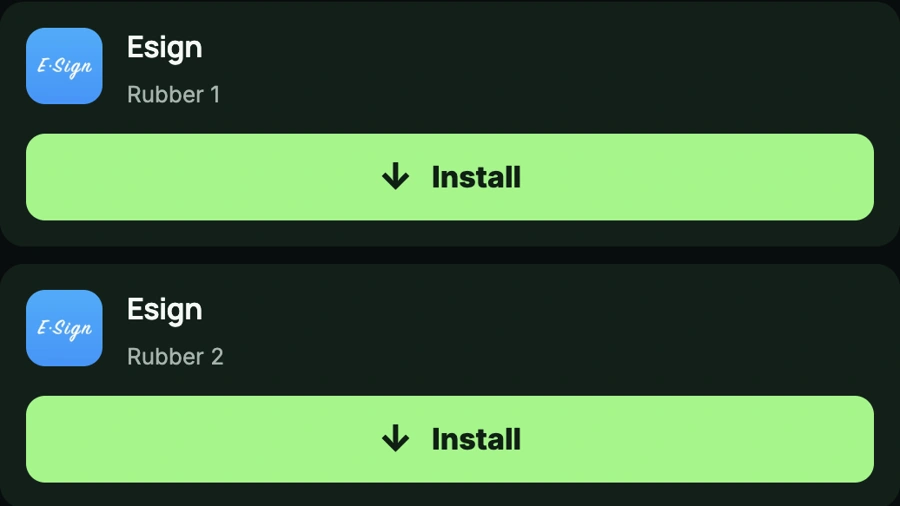
Step 1: Choose ESign
Open AppleJR in Safari and scroll to the Direct Install section. Select the ESign tab and tap one of the Install buttons.
-
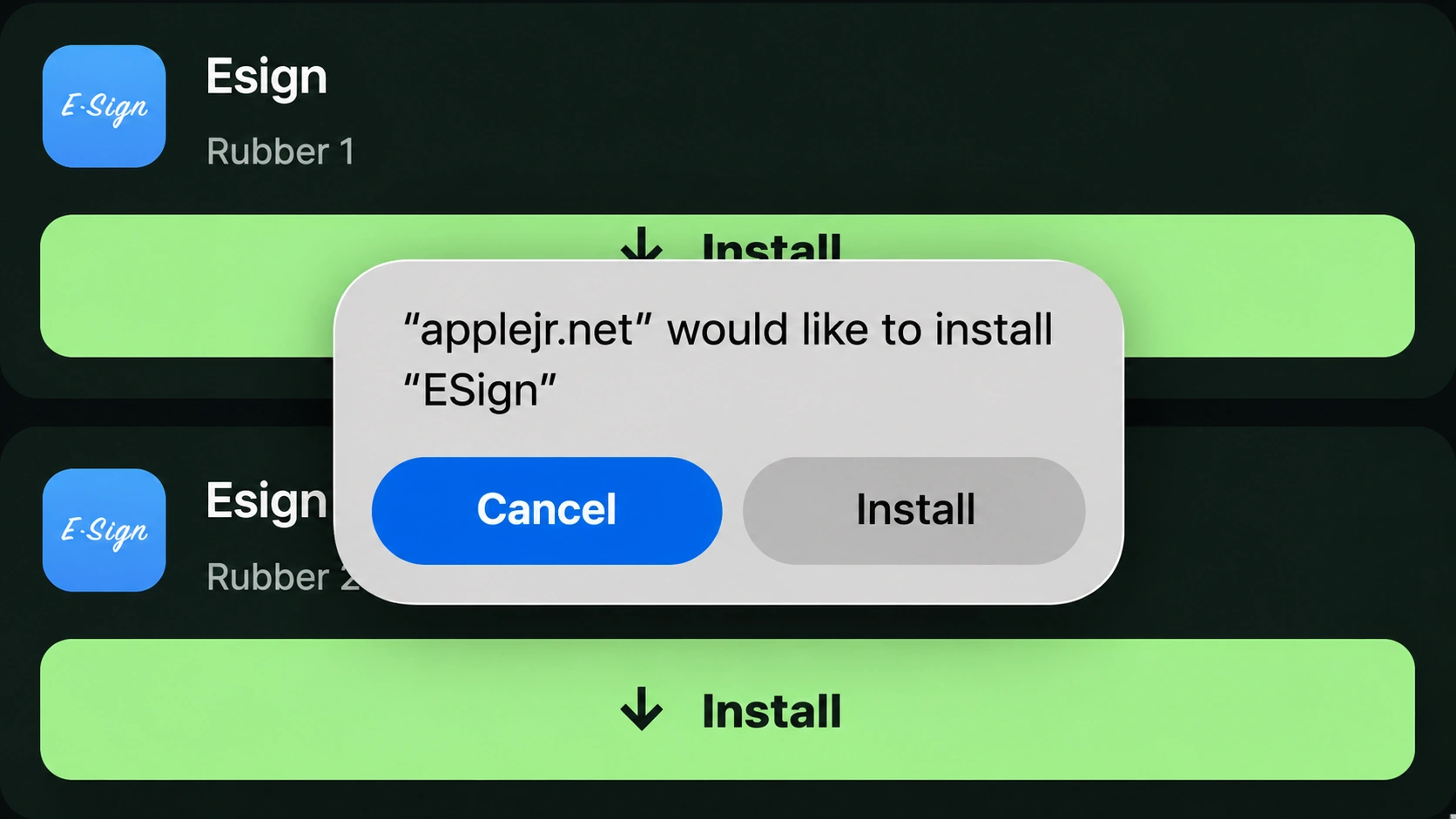
Step 2: Install the App
A message will appear asking whether you want to install ESign. Tap Install, then return to your Home Screen and let the download finish.
-
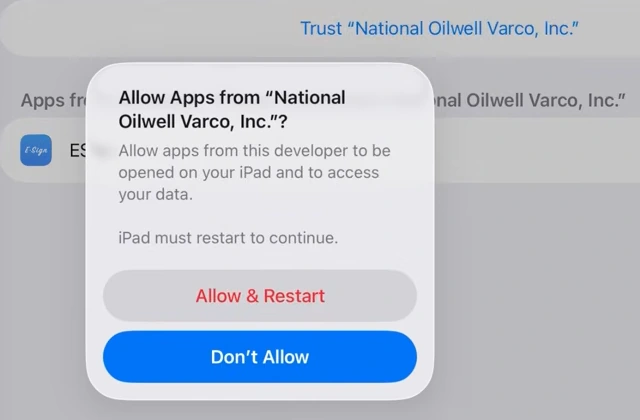
Step 3: Trust the Developer
If your iPhone asks you to verify the developer, go to Settings → General → VPN & Device Management.
Find the developer associated with the installed app, review the details, and follow the available trust or verification steps.
-
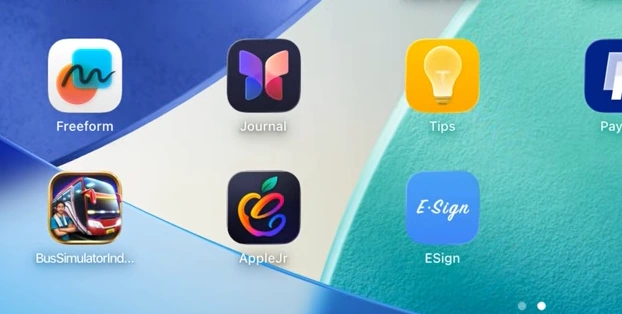
Step 4: Open ESign
Once the app is installed and verified, open ESign from your Home Screen.
That's it. ESign is installed, and you can now use it to import and sign IPA files.
Frequently Asked Questions
What is AppleJR?
This site lets you install iOS apps directly from Safari. You'll find popular apps like ESign, Scarlet, KSign, and Feather, along with IPA downloads and signing certificates.
Can I install apps without a computer?
Yes. Open the site in Safari, select the app you want, and tap Install. No computer is needed for Direct Install.
Do I need a signing certificate for Direct Install?
No. You don't need to download, import, or manage a certificate yourself. Just choose an installation option and follow the prompts on your iPhone.
What if an app doesn't install?
Try another installation button for the same app. If it still doesn't work, check your internet connection or try again when a working installation option is available.
Does AppleJR work on every iPhone?
You can open this site in Safari on iPhone and iPad. Each app has its own iOS requirements. Check that your device supports the app you want to install.
What are iOS signing certificates?
Signing certificates are used when preparing IPA files for installation. You only need to manage them yourself if you're manually signing apps through tools such as ESign, KSign, or Feather.